- Preview designs in the browser
- Rounded + Straight hinges
- Letters and parametric preview
- Batches of 5 (preview)
- No save or download
14 generators · 436+ ready-made designs
Design free in your browser. Export with Pro.
Boxes, cake toppers, signs, table numbers, trophies, clocks and puzzles. Pick a design, type your text, and download a file your laser cuts right the first time.
- No account needed
- SVG and DXF
- Kerf compensated
Everything you can make
Each generator starts from ready-made designs and gives you every option: sizes, shapes, fonts, materials, joints and engraving.
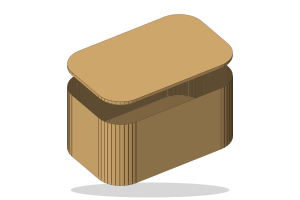 Hinge BoxLiving-hinge boxes in rounded, pill, polygon and cylinder shapes, with a bend check.
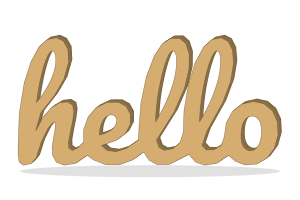 LettersLetter boxes, solid name signs and stencils from any text and font.
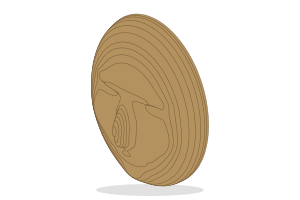 ParametricSliced sculptures from 3D files, photos or text: fins, stacks, waffles and papercraft.
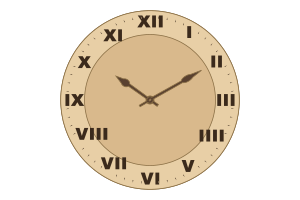 ClockWall and desk clocks with numerals, hands and a hole for a standard quartz movement.
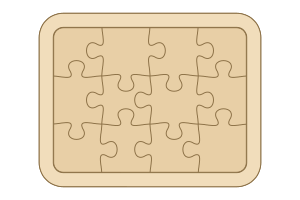 PuzzleJigsaw puzzles in any shape with classic or kids tabs, a frame or tray, and a picture engraved on top.
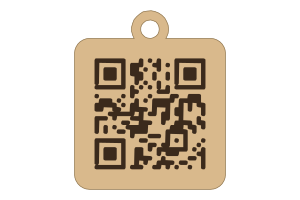 QR CodeScannable plates, keychains, coasters, Wi-Fi cards and paint stencils for links, Wi-Fi, contacts and more.
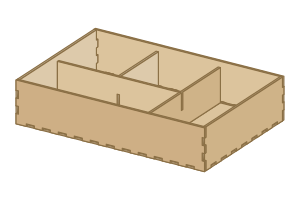 BoxesFinger-jointed boxes, trays with dividers, desk signs, photo frames, phone stands, key holders and bird houses.
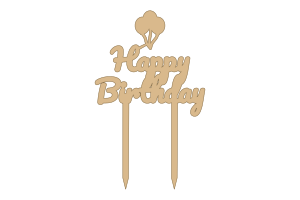 Cake TopperCake toppers and cupcake picks for birthdays, weddings, Eid and more: welded script, mirror layers and a library of motifs.
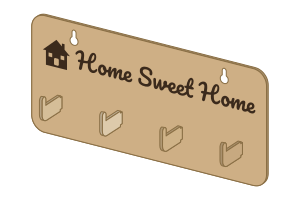 Key HolderWall key holders in 18 shapes with slot-in hooks, dowel pegs or cup hooks, names above each hook and an optional shelf.
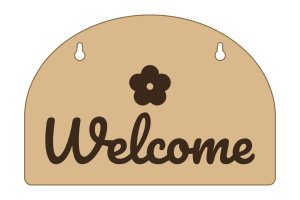 SignWall, door, shop and desk signs in wood, acrylic or both: engraved, layered lettering, cut-out words, flush inlays, neon-look acrylic or paint stencils, with frames and stands.
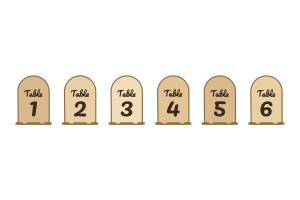 Table NumbersA whole set of table numbers in one file: stands in slotted bases, living-hinge tent cards or plaques, with labels and names.
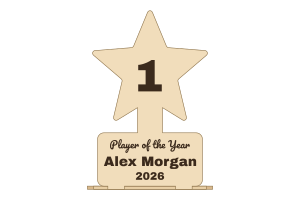 TrophyAwards that stand up: a star, cup, shield, medal, flame, laurel or motif with a name plate, slotted into a stepped base in wood, acrylic or both.
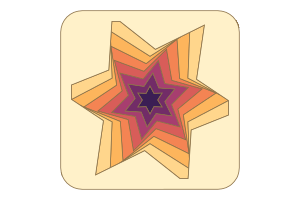 Shadow BoxLayered 3D paper-cut art from geometric patterns or your own picture, for a Cricut or a laser, with over a hundred ready-made designs.
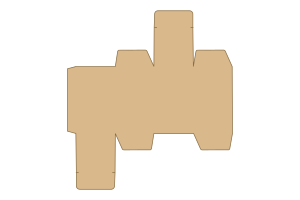 Paper BoxFolding cartons, mailers and gift boxes in card or board for a cutter or a laser: tuck-end cartons, mailers and two-piece boxes with creases, slit locks and bleed.
A topper for every occasion
Cake and cupcake toppers with welded script text, sticks that hold, and decorations for each celebration. Cut them in wood, acrylic or both.
How it works
- Step 1
Pick a design
Start from one of the ready-made designs or a blank generator: boxes, cake toppers, signs, table numbers, trophies, clocks, puzzles and more.
- Step 2
Make it yours
Type your text, choose a font and a shape, and set the sizes. Checks flag anything that will not cut or fit, with a one-click fix.
- Step 3
Cut it
Download one SVG or DXF with cuts, scores and engraving on their own layers, kerf already compensated, nested on your sheet.
Made for makers who sell what they cut
The details that save a sheet of plywood: checked before you cut, laid out to waste less.
Kerf and fit built in
Every outline is offset for your laser's kerf and every slot is sized for your material's thickness.
Checks with fixes
Thin bridges, loose slots, parts larger than your bed: each problem comes with a button that fixes it.
Wood and acrylic together
Layered signs, toppers and trophies put each material on its own sheet, ready for two jobs.
Real 3D preview
Turn the assembled piece in 3D, explode it into parts, and see how it goes together.
SVG, DXF and LightBurn layers
Millimetre files with one colour per operation open in LightBurn, xTool Creative Space, Glowforge and Inkscape.
Batches in one go
Table numbers 1 to 30, a name on every cupcake topper, ten copies of a box: all nested on as few sheets as possible.
Try the living-hinge box, right here
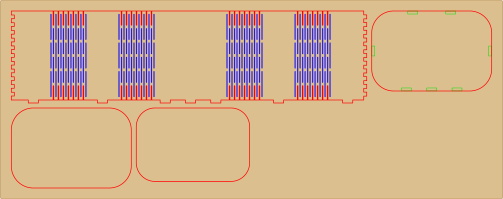
Change the shape and size: the cut file below is the real one, with slots, hinge slits and outline on their own layers.
140 × 90 × 70 mm, 4 parts on a 568 × 195 mm sheet of 3 mm birch.
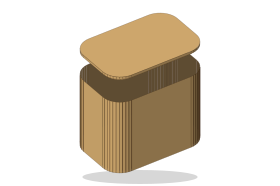
Tea caddy
Rounded box with a lift-off lid, Straight hinge, 3 mm birch.
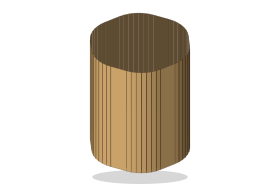
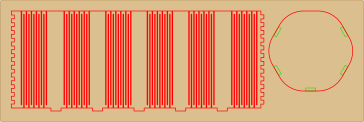
Pencil potPro
Open cylinder with a Serpentine hinge that bends all the way round.
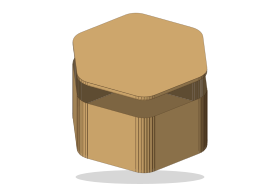
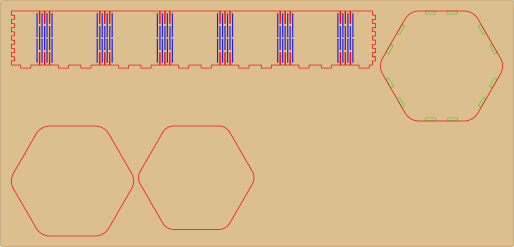
Hexagon gift boxPro
Six sides, Relief hinge with round stress holes, removable lid.
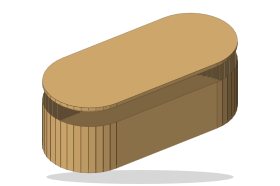
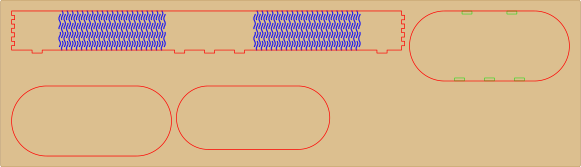
Pill tinPro
Stadium shape with a Wave hinge that hides the slits.
HingeLab for Windows
The same editors, in their own window
Every generator, made on your computer and working offline. Exports go straight to your job folder, project files open with a double-click, and it updates itself. Signed in with your HingeLab account.
Download for WindowsVersion 1.1.0 · 9.6 MB · Windows 10 and 11 (64-bit)
SHA-256 db7734b216b38a22e8baaabad3a84f8c73d54e575bb4ff40b1a5ac3dd3d5c57d
Pricing
Start free. Upgrade when you sell what you make.
- Save and export cut files
- Unlimited cloud projects
- All shapes and patterns
- Letters and every tool
- Full parametric sculptures
- Batches of 30
- Sell the items you cut
- Everything in Pro
- Unlimited batches
- Up to 3 devices signed in at once
- Commercial-use license
- Priority support
Everything Pro allows, plus work for clients and selling or sharing the exported files themselves.
Get Business| Feature | Free | Pro | Business |
|---|---|---|---|
| Generator and 3D preview | Included | Included | Included |
| Save and export | — | Clean SVG, DXF, PDF, LightBurn | Clean SVG, DXF, PDF, LightBurn |
| Cloud projects | — | Unlimited | Unlimited |
| Shapes and patterns | Rounded + Straight | All | All |
| Letters and future tools | Preview | Included | Included |
| Parametric sculptures | Library shapes as parallel fins, up to 30 parts (preview) | Your 3D files, photos and formulas, every method | Your 3D files, photos and formulas, every method |
| Batch generation | Up to 5 items (preview) | Up to 30 items | Unlimited |
| License | Designing and previewing for personal use. Free has no downloads. | Personal use, and selling the physical items you cut from your exports. | Everything Pro allows, plus work for clients and selling or sharing the exported files themselves. |
Questions
What can I make with HingeLab?
Living-hinge and finger-jointed boxes, cake and cupcake toppers for every occasion, key holders, wood and acrylic signs, wedding and restaurant table numbers, trophies and awards, wall clocks, jigsaw puzzles, QR code plates, layered 3D paper-cut shadow boxes for a laser or a Cricut, letter boxes and sliced sculptures. Every product starts from ready-made designs you can change.
What is kerf, and do I need to measure it?
Kerf is the width of material the laser burns away, usually 0.1 to 0.2 mm. HingeLab offsets every outline by half the kerf and sizes slots to match, so parts fit snugly. Start with the material preset, cut the test square, and change the kerf by 0.02 mm if joints come out loose or tight.
Which machines and software work?
Any laser cutter that imports SVG or DXF: xTool, Glowforge, Ortur, Atomstack, Epilog, Trotec and CO2 machines through LightBurn, xTool Creative Space, RDWorks or Inkscape. Files are in millimetres with one layer per operation.
Is there a desktop app?
Yes. HingeLab for Windows is the same editors as the website in their own window: designs are made on your computer, also offline, project files open with a double-click, exports go straight to your folder, and it updates itself. It uses your HingeLab account and plan.
Do I need an account?
No. The editors run in your browser so you can try designs on this device. Saving projects, cloud sync and downloading cut files need Pro.
What does Pro add?
Save projects and export clean cut files. Unlimited cloud projects. Pill, polygon and cylinder boxes. Wave, relief, serpentine and honeycomb hinges. Letters and every future tool. Parametric sculptures from your own 3D files and photos. Batches of up to 30 items. Pro is $12 a month or $99 a year, and you can cancel at any time from Billing.
Can I sell what I make?
On Pro: personal use, and selling the physical items you cut from your exports. On Business: everything Pro allows, plus work for clients and selling or sharing the exported files themselves.
What does Business add?
Business is everything in Pro, plus unlimited batches, up to 3 devices signed in at once, priority support, and a commercial-use license. It is $29 a month or $290 a year.
Your next project is a few clicks away
Open the editor, pick a design and download a file your laser cuts right the first time.
Start designing free