Parametric
Source model
What gets sliced: a library model, your own mesh, a photo, text, or a formula.
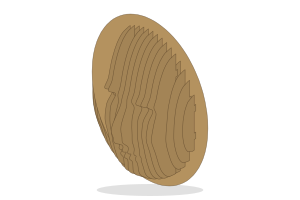
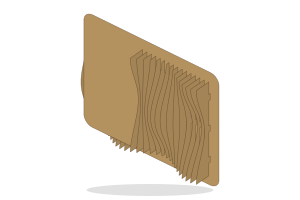
- Library: ready models that slice well.
- Mesh: import an STL, OBJ or GLB file. If its size looks wrong, pick its units (mm, cm, m or inches) and which axis is up.
- Photo: a depth map is made from your photo on this device, and the photo becomes a relief.
- Text: your text as a solid with a flat or rounded profile.
- Formula: a surface, a turned shape or a radial profile from shape buttons, or a formula you type under Advanced.
Size sets the model's size along one axis, or use Scale. Turn X, Y and Z rotate it before slicing.
Options
Size and rotation
- Scale0.01 to 100 · step 0.05
- Scales the model evenly in every direction. 1 keeps the size from the file.
- Size10 to 3000 mm · step 5 mm
- The size of the model along the axis picked in Size measures; the model is scaled to match.
- Turn X°-360 to 360 · step 5
- Turns the model round its X axis before slicing.
- Turn Y°-360 to 360 · step 5
- Turns the model round its Y axis before slicing.
- Turn Z°-360 to 360 · step 5
- Turns the model round its Z axis before slicing.
Formula
- Width10 to 2000 mm · step 5 mm
- The width of the formula surface, along X.
- Height10 to 2000 mm · step 5 mm
- The height of the formula surface, along Y.
- Inner r1 to 1500 mm · step 1 mm
- Where the radial profile starts, measured from the centre.
- Outer r3 to 1500 mm · step 5 mm
- Where the radial profile ends, measured from the centre.
- Base0.5 to 200 mm · step 1 mm
- A solid base under the formula surface, so the lowest point still has material.
- Length10 to 2000 mm · step 5 mm
- The length of a turned (revolved) model along its axis.
- Samples8 to 512 · step 8
- How many points the formula is sampled at in each direction. More samples catch finer detail but slice more slowly.
Photo
- Width20 to 2000 mm · step 5 mm
- The width of the relief made from your photo; its height follows the photo's shape.
- Max depth1 to 500 mm · step 1 mm
- How far the nearest part of the photo stands out from the base.
- Base0 to 100 mm · step 1 mm
- A solid base under the relief.
- Smoothing0 to 20 · step 0.5
- Smooths the depth map so small noise in the photo does not become jagged fins.
- Contrast0.2 to 3 · step 0.1
- Shapes the depth: above 1 pushes the middle depths back, below 1 brings them forward.
- Detail8 to 256 · step 8
- How finely the depth map is sampled. More detail follows the photo more closely but slices more slowly.
Text
- Height10 to 2000 mm · step 5 mm
- The height of a capital letter in the text model.
- Spacing-50 to 500 mm · step 1 mm
- Extra space between letters in the text model.
- Depth2 to 500 mm · step 1 mm
- How far the text model stands out, front to back.
- Rounding1 to 300 mm · step 1 mm
- The radius of the rounded edge when Profile is Rounded.